Mobile app
Kira
An AI assistant that does small tasks for you, and asks before it acts.
- Product
- Kira, AI assistant
- Platform
- iOS, 393 px
- Themes
- Light and dark
- Deliverables
- App screens, colour system, components
Overview
An assistant that asks before it acts.
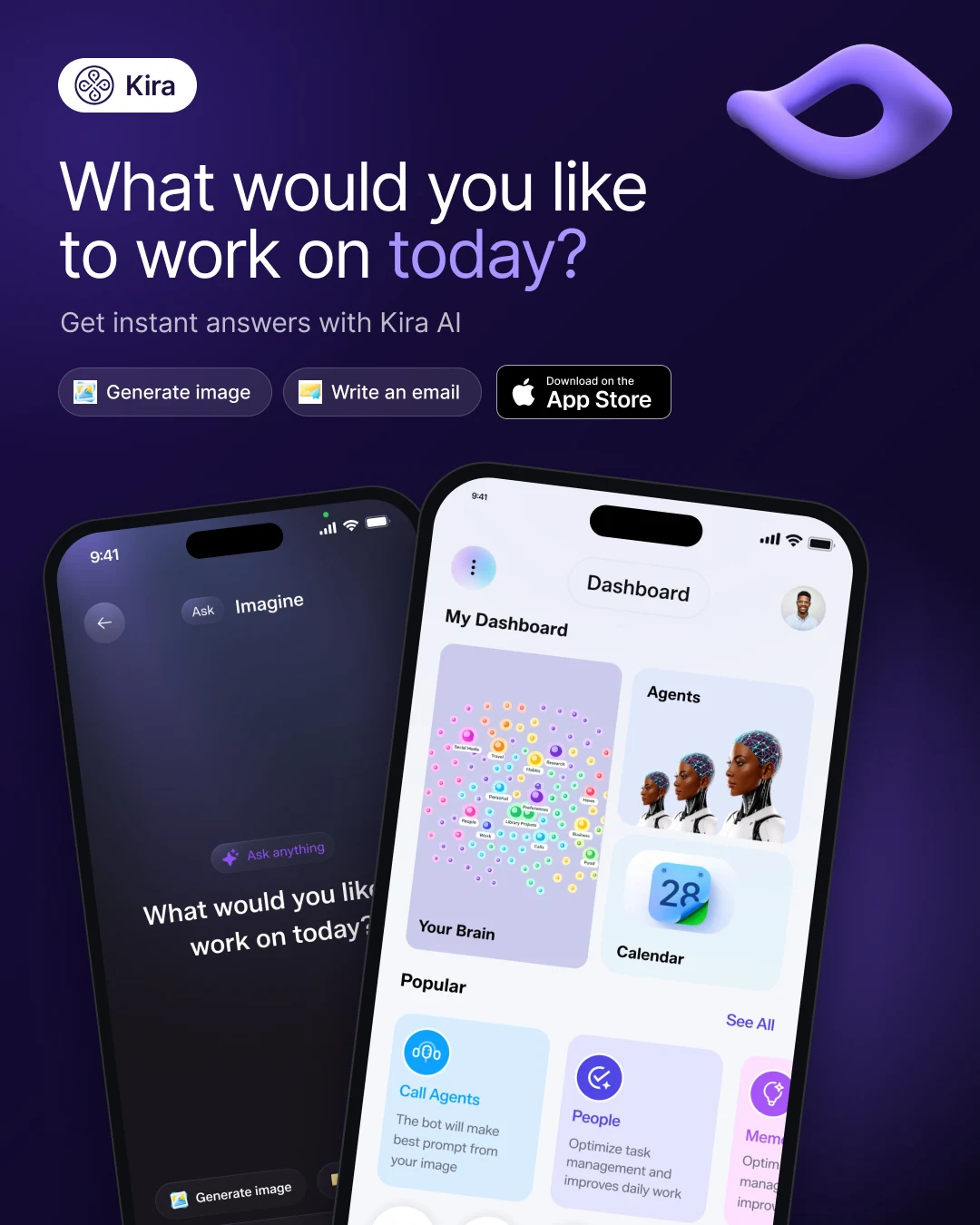
Kira is an AI assistant app. Home shows what Kira prepared, like email drafts and calendar clashes, ready to approve in one tap.
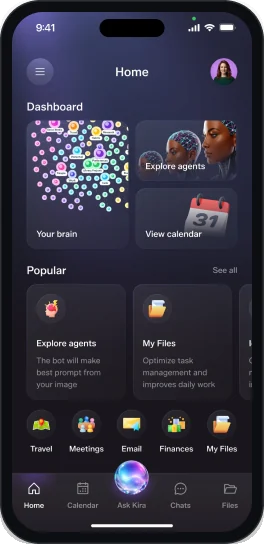
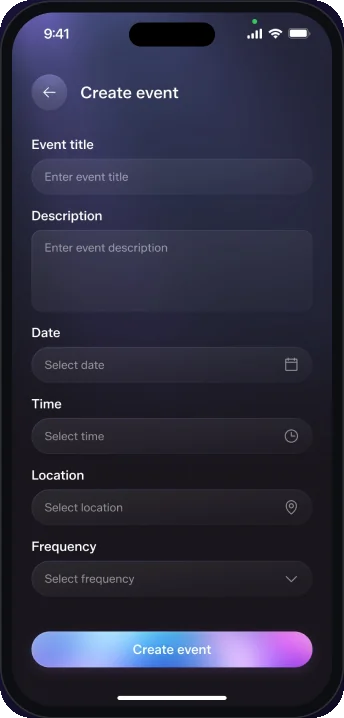
I designed it in light and dark: Home, Ask Kira, calendar views and Create event, plus colours and icons.
The challenge
A lot to do, one calm screen.
- 01Email, calendar, files, travel and agents fight for space.
- 02Users must approve AI suggestions before anything is sent.
- 03Everything had to work in light and dark.
The approach
One feed, one orb, one gradient.
- 01A feed groups what Kira prepared, with buttons on each card.
- 02Ask Kira is a glowing orb in the tab bar.
- 03Soft violet, blue and cyan gradients carry both themes.
User flow
Five screens, two themes.
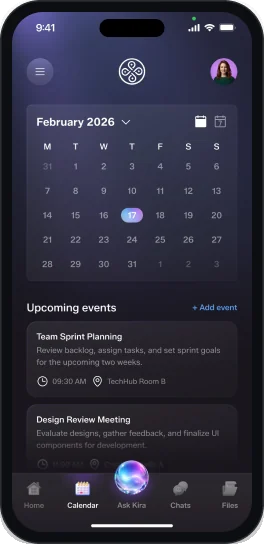
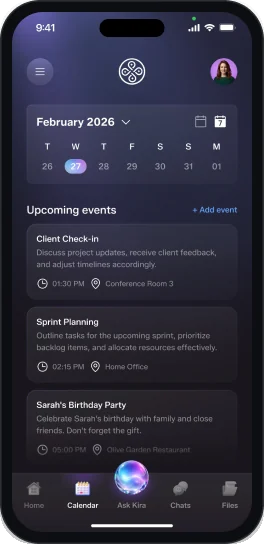
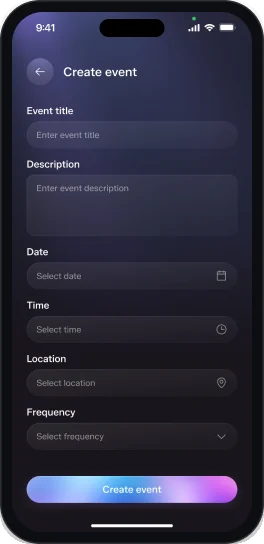
Home, Ask Kira, both calendars and Create event.
Light theme
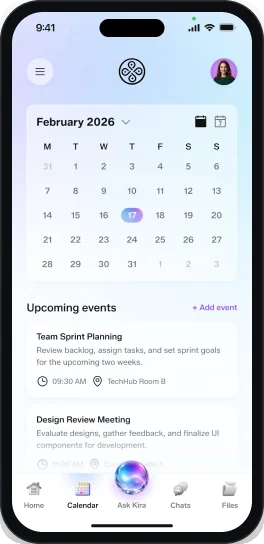
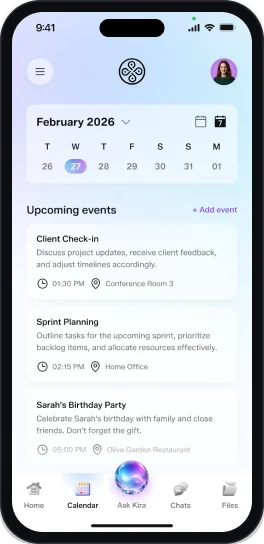
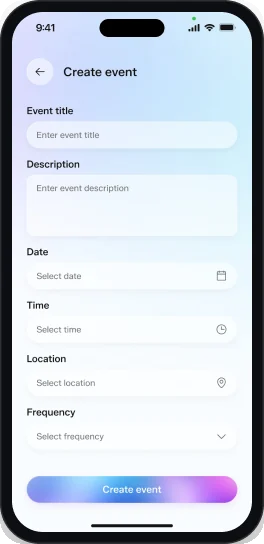
Dark theme
Key screen
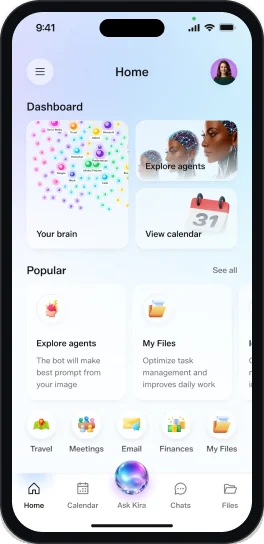
Home and the activity feed.
The first screen shows what needs a decision.
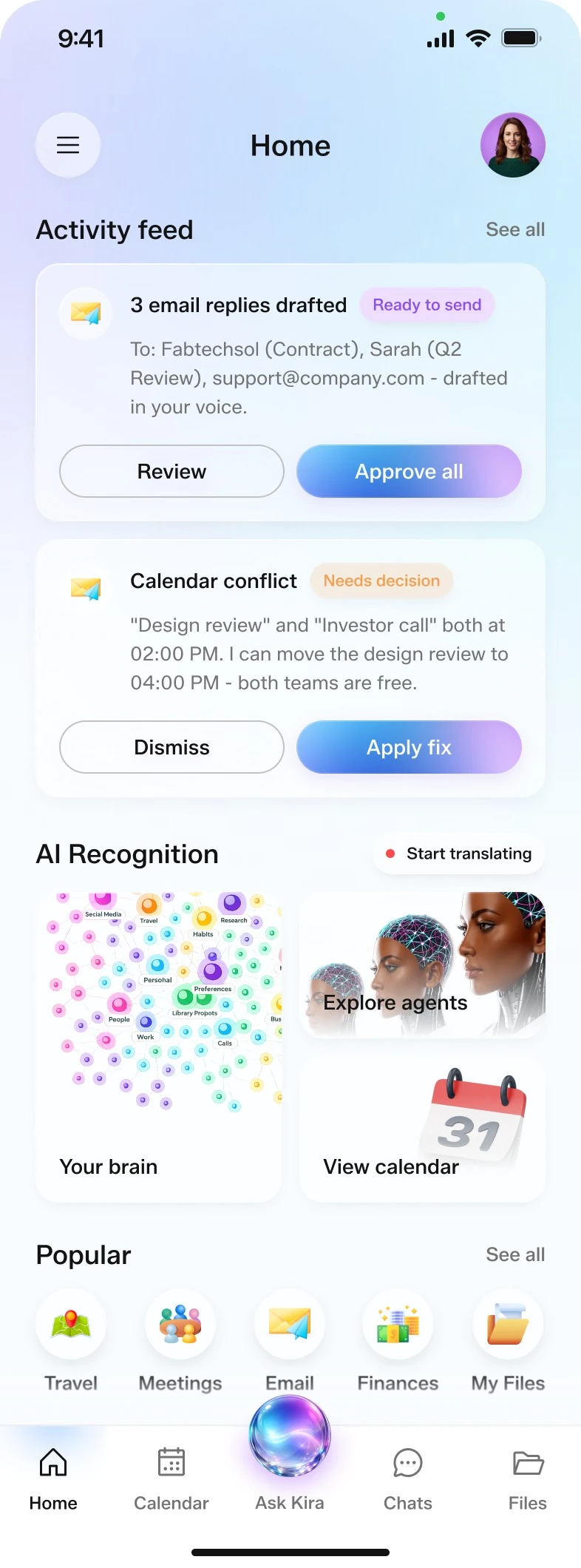
- 1Activity feed
What Kira did or needs decided.
- 2Ready to send
Drafted replies, with Review and Approve all.
- 3Needs decision
A calendar conflict, with Dismiss and Apply fix.
- 4AI Recognition
Your brain, Explore agents, View calendar, Start translating.
- 5Popular shortcuts
Travel, Meetings, Email, Finances and My Files.
- 6Ask Kira orb
A glowing orb opens the assistant.
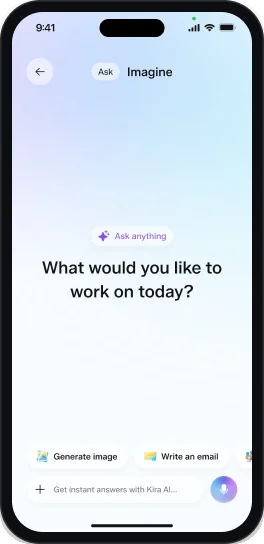
Key screen
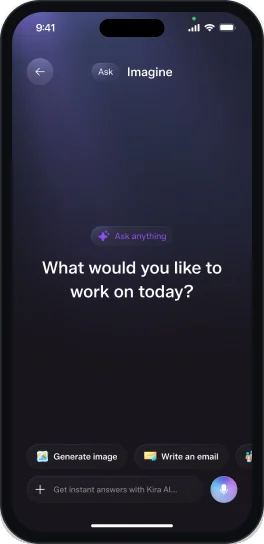
Ask Kira.
One question, quick starts, and an input to type or talk into.
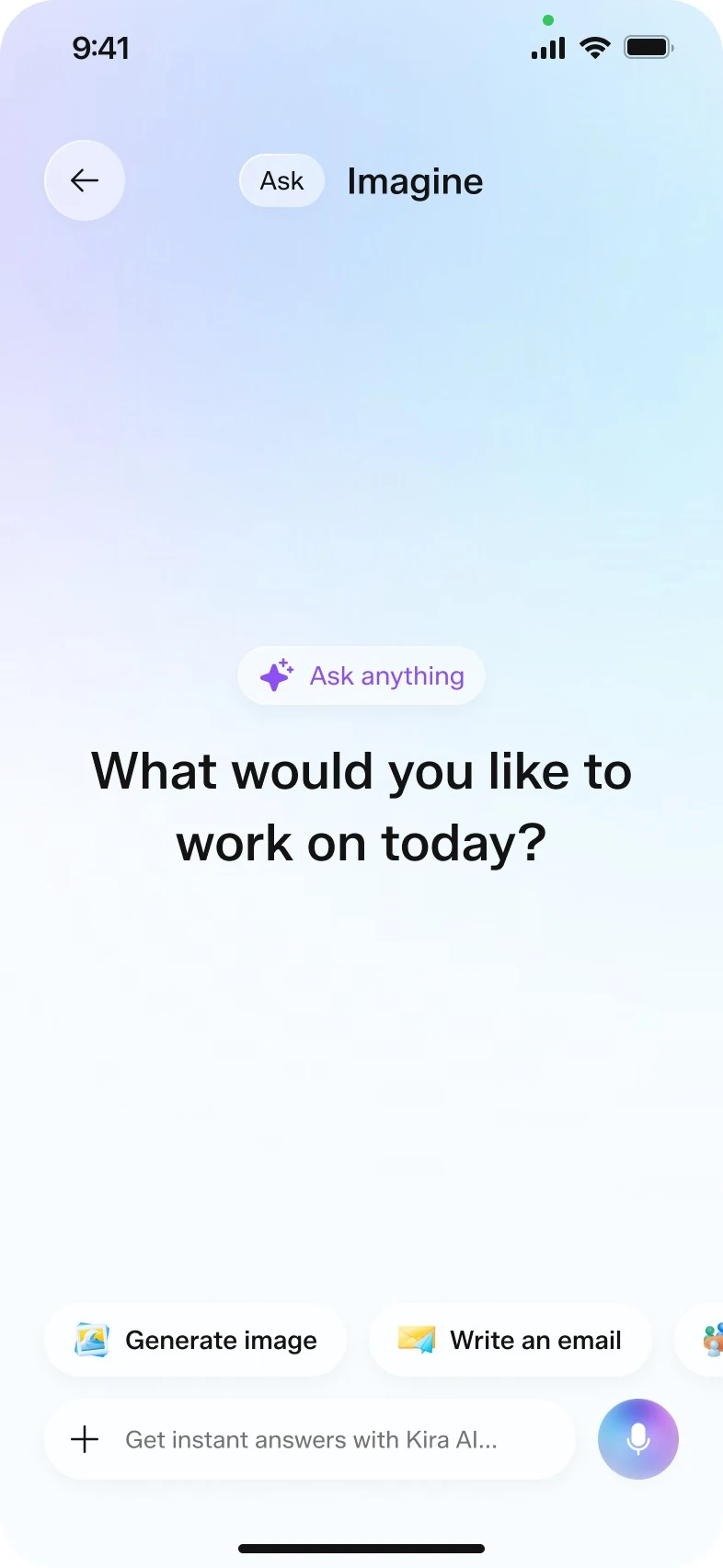
- 1Mode in the header
An Ask label next to the Imagine title.
- 2Ask anything
A small chip with a sparkle icon.
- 3One open question
What would you like to work on today? on a soft gradient.
- 4Quick starts
Generate image and Write an email chips.
- 5Type or talk
Instant answers, with a microphone button.
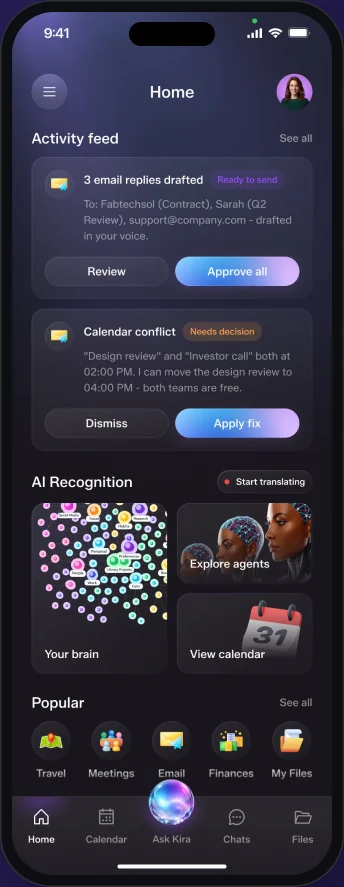
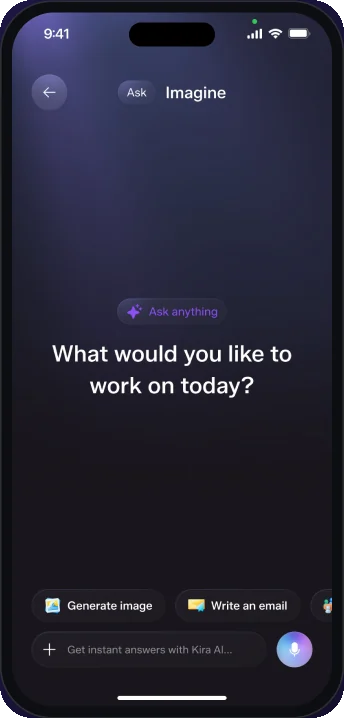
Dark theme
The same app after dark.
Every screen has a dark version.
Alternative layout
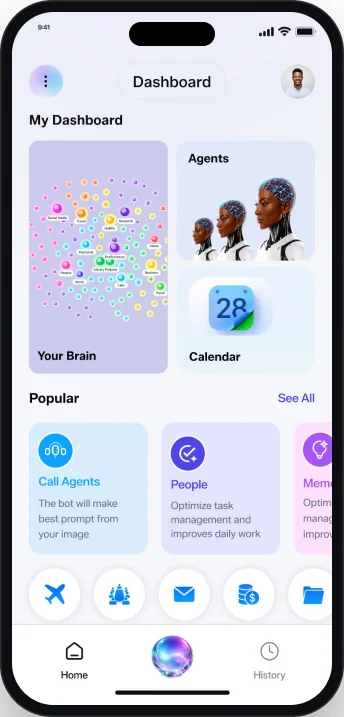
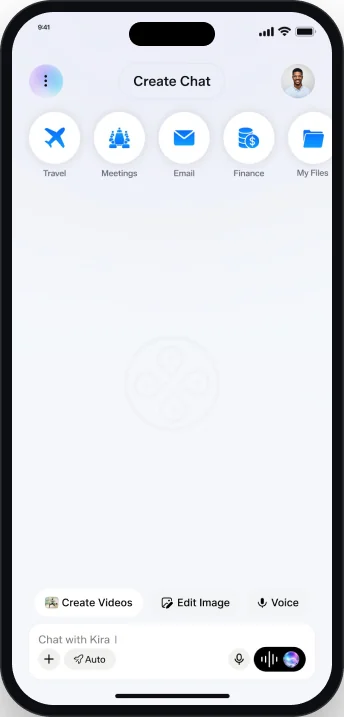
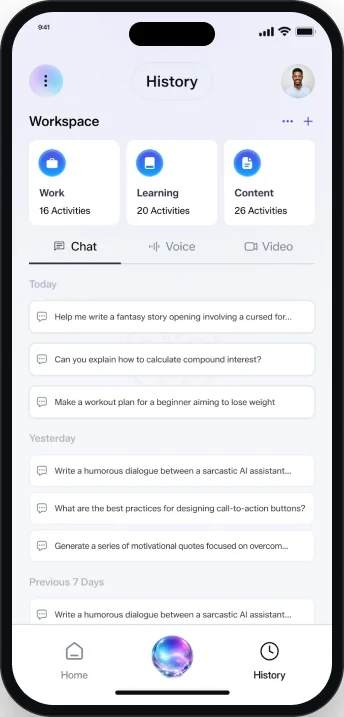
Another direction in the file.
Dashboard, Create Chat and History at 375 px.
Visual language
Violet, blue and cyan.
Three accent ramps, neutrals, background and stroke.
- Color 1
#8C4EF6 - Color 1 / 50
#D4AAFB - Color 2
#60A5FA - Color 3
#22D3EE - Neutral 100
#131313 - Neutral 50
#737373 - Neutral 10
#F7F8F9
Typography
Typeface
Aa
Zalando Sans
Zalando Sans in Regular, Medium and SemiBold for every heading, label and body text.
- Regular
- Medium
- SemiBold
In use
Ask Kira
Zalando Sans
Medium is the default weight, from screen titles to chips and tab labels.
Deliverables
What I delivered.
- Home
- Activity feed
- Ask Kira
- Monthly calendar
- Weekly calendar
- Create event
- Light theme
- Dark theme
- Colour system
- Icon library
- Bottom navigation
- Alternative layout
Want this kind of clarity for your mobile app?
Book a free 30 minute call. You leave with 3 written fixes, even if we don’t work together.
 Nafees ZulfiqarUsually replies within an hour
5.0 from 33 Upwork reviewsTop Rated