Mobile app
Foodshadow
An app for shopping lists, discounts and giving away extra food.
- Product
- Food management and delivery app
- Platform
- Mobile, 430 x 932 frames
- Deliverables
- 65 screens across 4 versions
- Features
- Lists, coupons, receipts, delivery
Overview
From shopping list to receipt, one app.
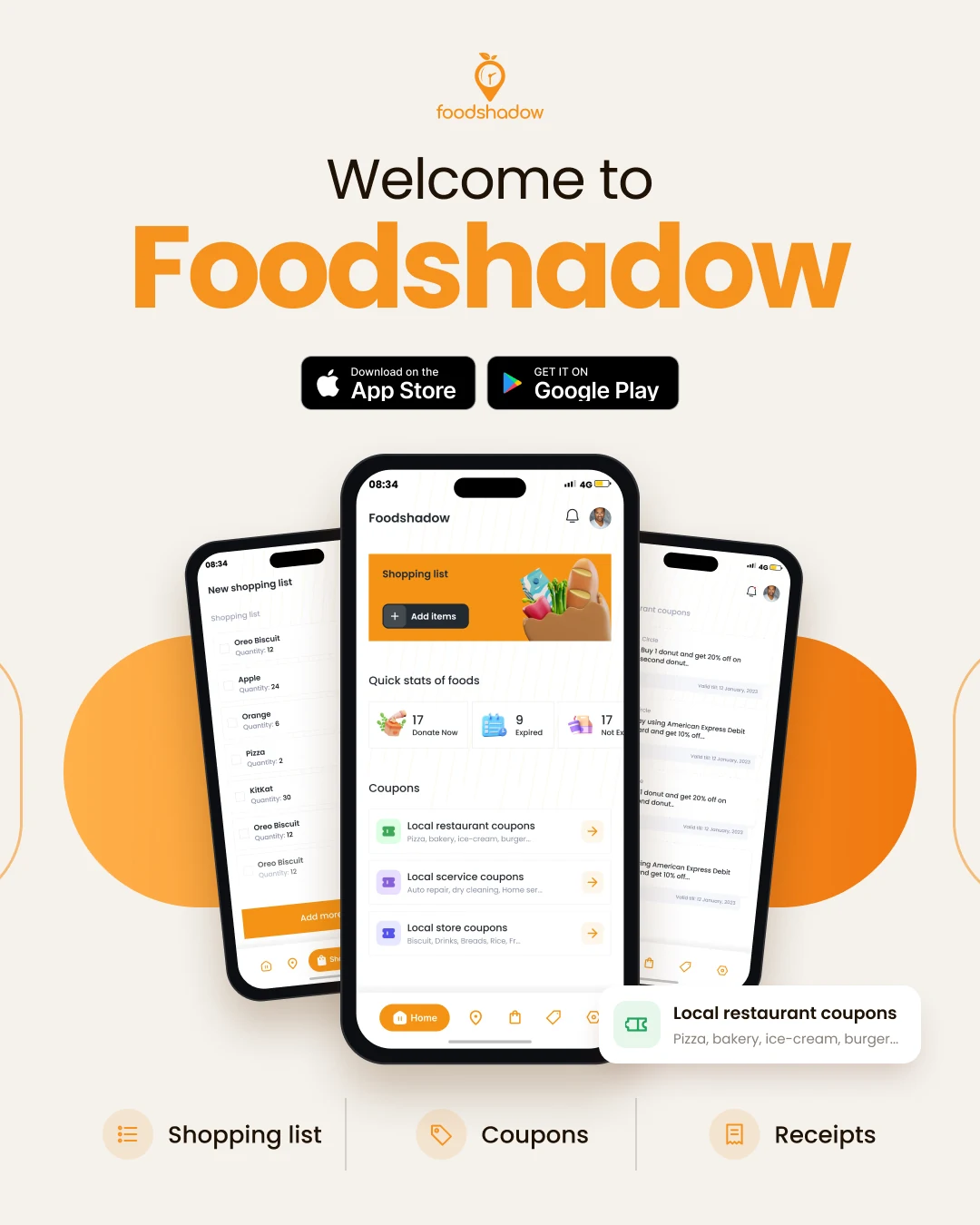
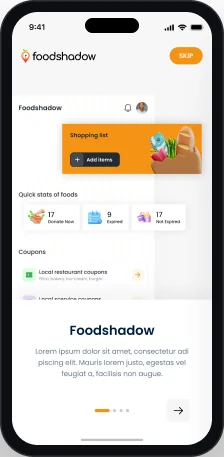
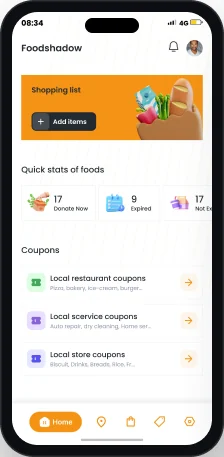
Foodshadow is a food app built around what people buy. Home pairs a shopping list with food stats and local coupons.
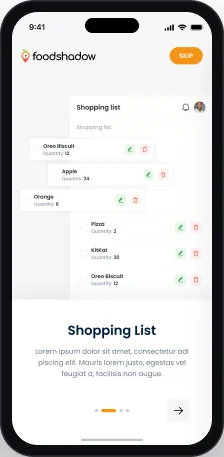
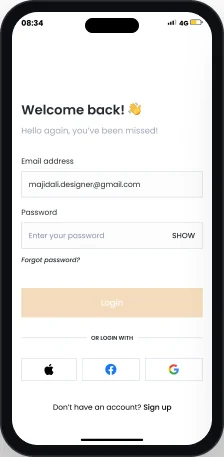
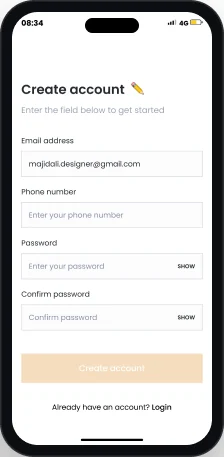
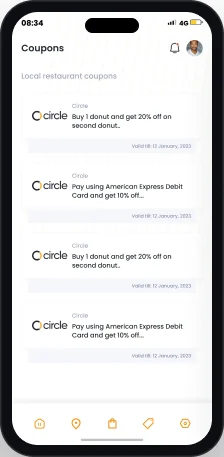
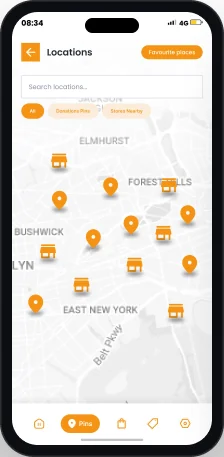
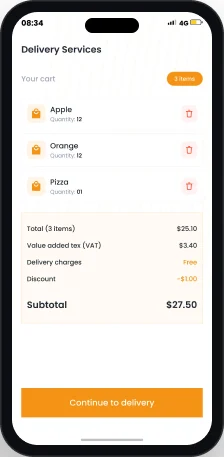
I designed the mobile app in four versions: sign up, shopping lists with expiry dates, coupons, receipt scanning, locations, settings, delivery services, food alerts, media, a smart refrigerator view and onboarding.
The challenge
Many food tasks, one small screen.
- 01Items need quantities, expiry dates and a link to their receipt.
- 02Coupons depend on place, so the app needs location access or a zip code.
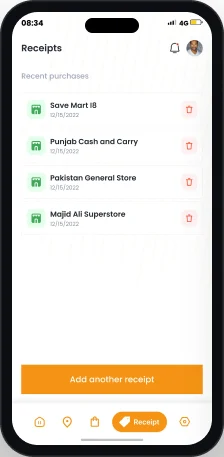
- 03Receipts are on paper. They must be scanned or typed in.
The approach
One orange action per screen.
- 01Each list ends with one full width orange button, like Add more items or Add another receipt.
- 02Empty screens show a 3D illustration and a clear next step.
- 03A pill tab bar marks the active section, like Home, Shopping, Pins or Receipt.
User flow
Twelve screens, two journeys.
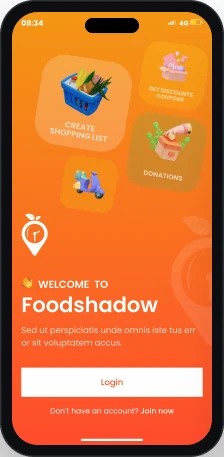
Onboarding first. Then a five tab bar: home, places, shopping, coupons, receipts.
Getting started
Everyday use
Key screen
Home.
Start shopping, check your food, find deals.
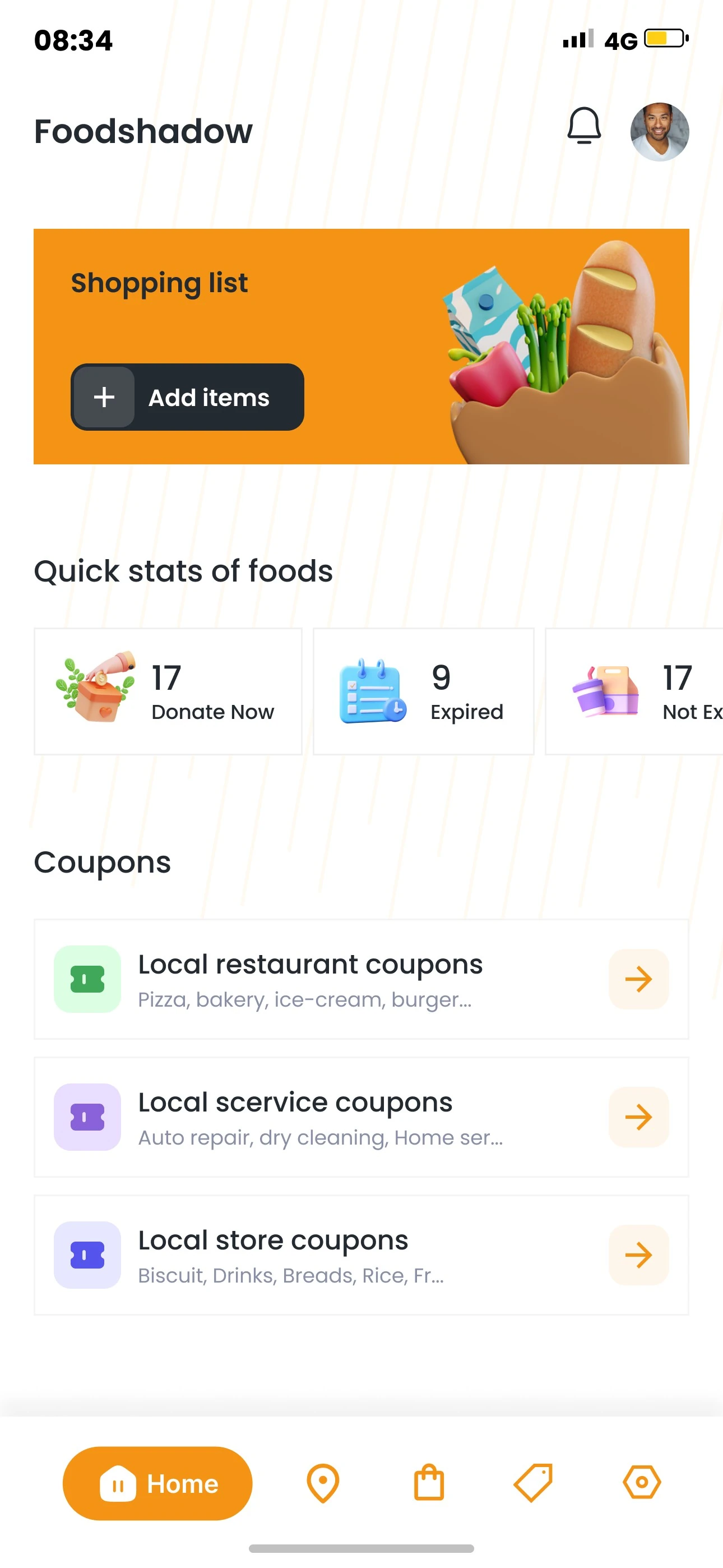
- 1Header
App name, notifications and profile photo.
- 2Shopping list card
An orange card with an Add items button.
- 3Quick stats of foods
Counts for Donate Now, Expired and Not Expired.
- 4Local coupons
Restaurant, service and store coupons.
- 5Pill tab bar
The active tab grows into an orange pill.
Key screen
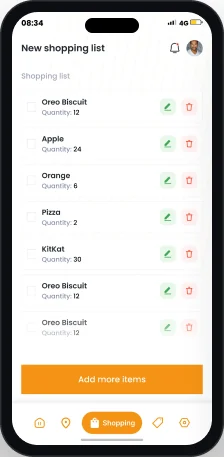
Shopping list.
A plain list, quick to scan and edit.
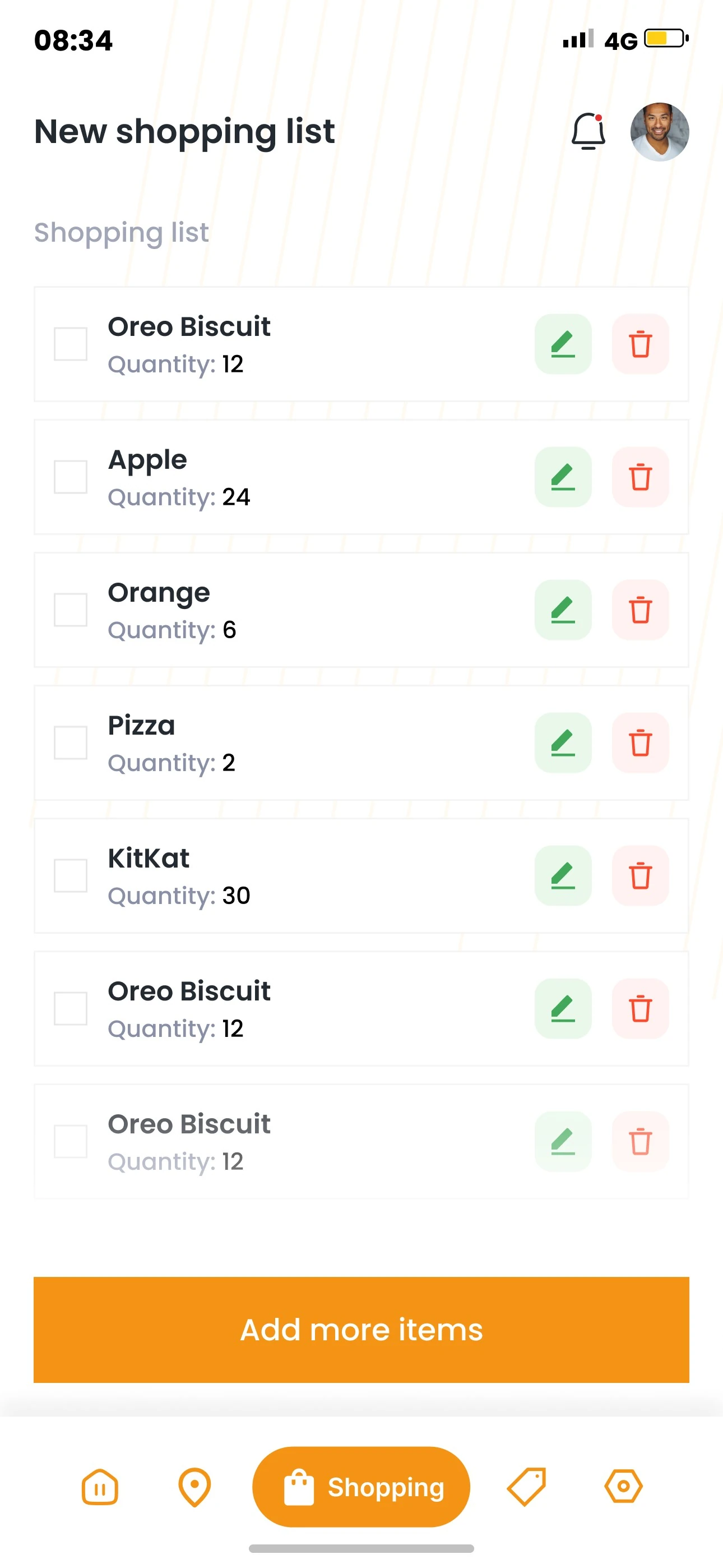
- 1Page title
New shopping list, notifications and profile.
- 2Item rows
Name, quantity and a checkbox per row.
- 3Edit and delete
Green edit and red delete icons per row.
- 4One main action
Add more items stays at the bottom.
- 5Shopping tab
The Shopping tab shows as active.
Visual language
Warm orange, fresh green.
Orange is for brand and actions, green for edits and stores, coral for deletes.
- Orange
#F59315 - Ink
#242A31 - Slate Grey
#888FA6 - Green
#40A858 - Coral
#FF4B2D - Sunflower
#FDD015 - White
#FFFFFF
Typography
Typeface
Aa
Poppins
Poppins across the app, from Regular body text to Bold labels.
- Regular
- Medium
- SemiBold
- Bold
Type scale
Foodshadow
Poppins
Real sizes from the welcome and home screens.
- SemiBold 45
- SemiBold 25
- SemiBold 20
- Medium 18
- Regular 16
Deliverables
What I delivered.
- User flow
- Onboarding
- Login and sign up
- Home
- Shopping lists
- Coupons
- Receipt scanning
- Locations
- Delivery services
- Settings and profile
Want this kind of clarity for your mobile app?
Book a free 30 minute call. You leave with 3 written fixes, even if we don’t work together.
 Nafees ZulfiqarUsually replies within an hour
5.0 from 33 Upwork reviewsTop Rated